Overview
At a glance
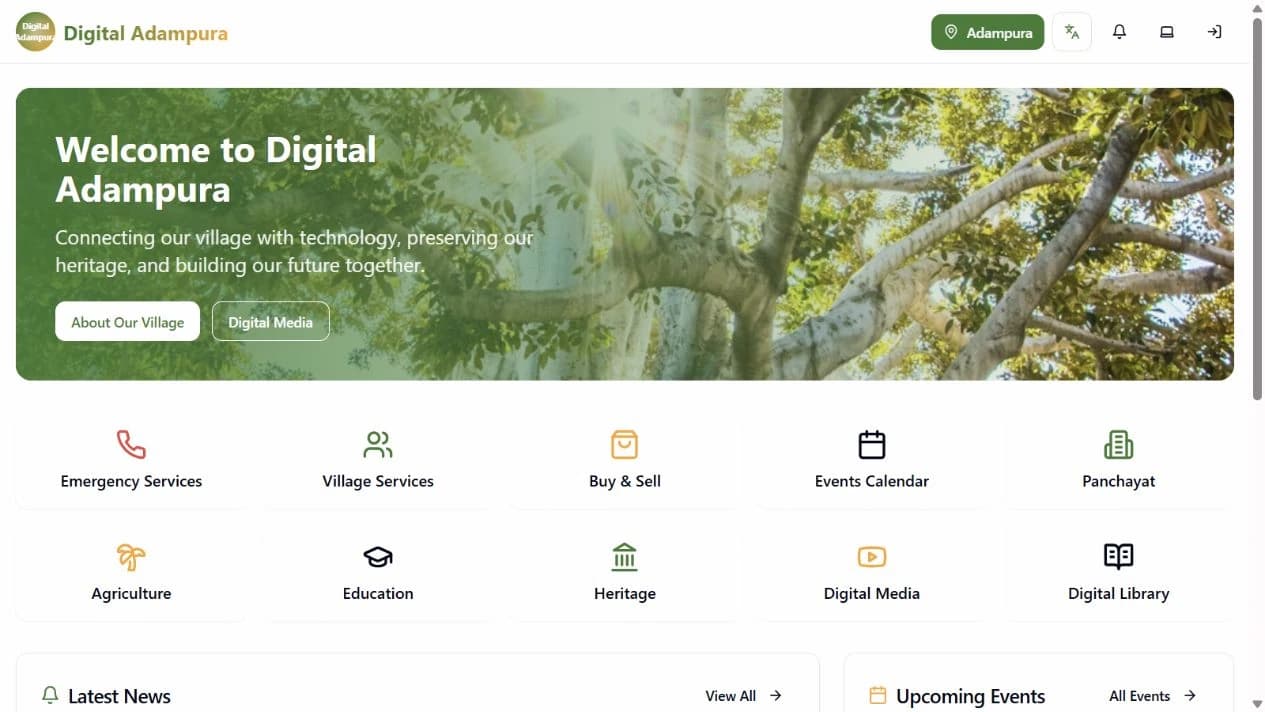
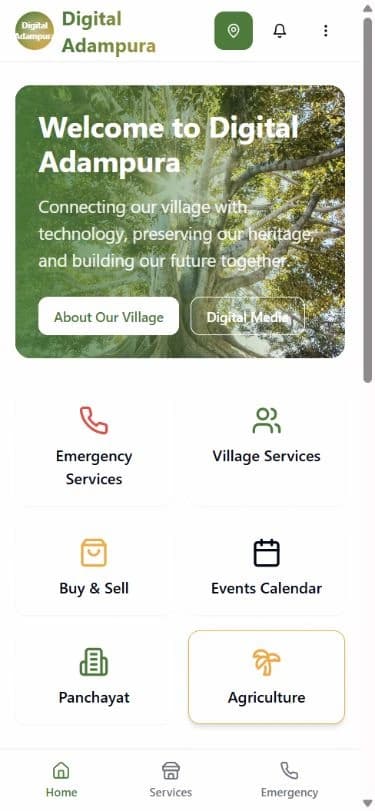
DigiVillage provides village-specific community-services experiences. This study shows Digital Adampura in Punjab, whose home page gives residents a single starting point for services, information, events, emergency resources, agriculture, education, heritage, and local digital content.
Screenshots
The live product
Real screenshots from the live product, not mockups.
Problem
The challenge
The public Digital Adampura experience combines community information and service categories in a single web product. This study describes only behavior that can be inspected on the live product.
Community information can become difficult to discover when every service has a separate channel. A shared product surface creates a clearer route from a resident's need to the relevant information or service area.
Solution
How the product solves it
The product uses a category-led home page and persistent navigation to make a wide set of community resources discoverable from desktop and mobile browsers.
- Public village information
- Emergency-service entry points
- Village-service navigation
- Marketplace
- Events calendar
- Agriculture and education resources
- Digital media and library
- Sign-in entry point
Proof
What you can verify
- Public HTTPS product with village-service, emergency, marketplace, events, agriculture, education, heritage, media, and library routes.
- The inspected desktop and mobile views fit their viewport without horizontal overflow.
System view
Workflow and public architecture
These diagrams reflect the routes and interactions verified on the public product. They do not infer private infrastructure.
Find a community service
- 1Open the public village home page.
- 2Choose a service area such as emergency services, agriculture, education, or the marketplace.
- 3Review the information and actions available for that service area.
- 4Return to the shared navigation to continue to another community resource.
Verified public architecture
- Visitor device
- HTTPS delivery
- Responsive public application
- Service-area pages
- Account entry point
Technical detail
How it is built
Users and roles
The public experience is designed for residents and service users. A visible sign-in route indicates a separate account-based experience, but this study does not infer private permissions or administrative behavior.
- Public visitor
- Browses village information, service categories, events, emergency information, and local resources.
- Registered user
- Uses the sign-in entry point before accessing account-based areas exposed by the product.
Main user journeys
The strongest publicly verifiable workflow is discovery: users start from the village home page, choose a service domain, and continue into a focused page.
Find a community service
- Open the public village home page.
- Choose a service area such as emergency services, agriculture, education, or the marketplace.
- Review the information and actions available for that service area.
- Return to the shared navigation to continue to another community resource.
Review local activity
- Open the public home page.
- Use the news or events entry point.
- Review available updates or calendar information.
- Continue into the relevant detail page when information is available.
Architecture
The verified public architecture is a responsive web application delivered over HTTPS, with public service routes and a separate sign-in entry point. Private infrastructure and data-store details are intentionally not asserted.
Technology stack
- Verified delivery surface
- Responsive web application, HTTPS
- Verified product structure
- Public routes, Account entry point, Service-area navigation
Implementation details
- Frontend
- Responsive browser interface
- Route-based service areas
- Authentication
- Public sign-in entry point
- Deployment
- Public HTTPS endpoint at digivillage.in
Key technical decisions
- Organise the home page around recognizable community service domains.
- Keep important public resources available without requiring account access.
- Use one navigation system across a broad set of service pages.
Security and reliability
- The public product is served over HTTPS.
- Account access begins through a dedicated sign-in route rather than an embedded public form.
Lessons learned
- Service categories need names that residents can recognise without training.
- A broad community platform benefits from one consistent navigation model.
- Responsive behavior matters when public access may begin on a mobile device.